Markem imaje compatible thermal ribbons Canada
1st Nov 2026
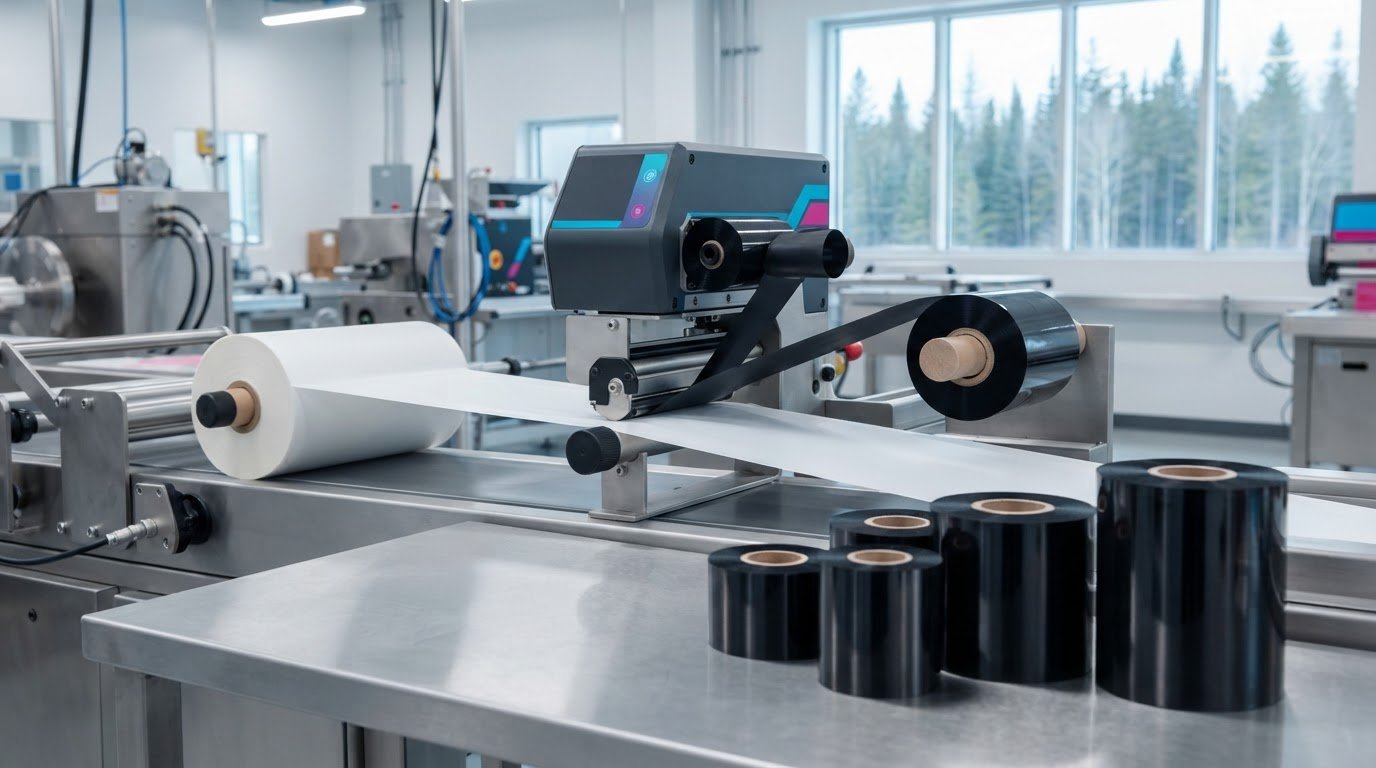
For Canadian production lines using Markem-Imaje printers, compatible thermal ribbons must suit both the printer and the packaging material. Compatibility is the starting point: the ribbon also needs to work for the marking task and the surface receiving the print.
A ribbon that fits the equipment but does not suit the packaging may produce unclear or inconsistent codes. Match the ribbon to the application to help keep routine production and product marking on track.
This guide explains what compatibility involves, which factors affect ribbon selection, and how to assess your application before choosing. Use these steps to make a more informed match for your production needs in Canada.
Key Takeaways
- Start by matching the ribbon to the specific Markem-Imaje printer and its thermal transfer overprinting setup.
- Consider the packaging material and the marking task, not just whether a ribbon fits the printer.
- Assess print clarity and durability needs against the conditions the marked packaging will encounter.
- Use a trial on your actual packaging to evaluate how the ribbon performs in your production process.
- When comparing label-printing options, consider whether a VIPColor, Afinia, Toshiba, or Honeywell label printer suits your separate colour-label needs.
Markem imaje compatible thermal ribbons Canada
For Canadian production teams, Markem-Imaje-compatible thermal ribbons must suit the printer, packaging and code. Thermal transfer overprinting, or TTO, transfers ink from a ribbon onto packaging during marking. A brand name alone does not establish compatibility: ribbon dimensions, coating and performance on the intended packaging also matter. Start with the specific printer and production task, not a broad product description.
Start with the printer details. Record the Markem-Imaje model and the specifications of the ribbon currently installed, then compare them with the replacement’s requirements. Check ribbon width and length, winding direction and core configuration, since these details affect fit and feeding. A ribbon that does not fit correctly can disrupt printing, even if its material seems suitable. Keep the model and ribbon specifications together for future reordering.
Next, identify the packaging surface. Flexible films, including plastic food packaging, vary in composition and finish. A ribbon that prints clearly on one film may produce a less distinct code on another. For example, assess print quality on the exact glossy film used on the line rather than on a different sample. Testing the production material gives you a more relevant comparison.
Consider the marking task, too. Variable information such as a date code, lot code or product identifier may need to remain legible on the finished package. Define what the code must show, where it will appear and how it will be read during handling. Those requirements help you assess the printed result against the purpose of the mark. A short code in an open area may behave differently from a longer string placed near a seam or package edge.
Run a controlled trial before changing routine production. Keep the printer, packaging and code content consistent during each test so you can isolate the effect of the ribbon. Assess the print immediately, then inspect the package after the handling steps relevant to your operation. Record the ribbon specifications and print quality to guide future reorders.
- Record the Markem-Imaje printer model and current ribbon details.
- Match the replacement’s width, length, core and winding direction.
- Test it on the actual packaging material used in production.
- Review code clarity and consistency across printed samples.
- Retain the selected ribbon’s specifications for future reordering.
Ribbon coding and label printing are separate methods. TTO uses a ribbon to transfer a mark onto packaging; direct thermal printing creates an image on specially treated label stock without a ribbon. If the task is printing labels rather than package codes, direct thermal labels are a distinct option to consider. Identifying which output your line needs helps keep equipment and consumables aligned with the job.
Keep production conditions consistent when assessing print quality. Use the same packaging material, printer and code placement for each comparison. Look for complete characters, readable spacing and a consistent appearance across the sample. If a code is difficult to read, review the printer setup and ribbon match before moving the trial into routine use. For Canadian lines, Markem-Imaje-compatible thermal ribbons should be evaluated against both the equipment and the package receiving the mark.
Documenting the printer model, ribbon configuration and test result makes future purchasing decisions clearer. It also gives production staff a useful reference when packaging or code requirements change. A careful match supports consistent package marking and helps distinguish TTO requirements from label-printing needs.
DuraFast Label Company Canada: VIPColor Label Printers
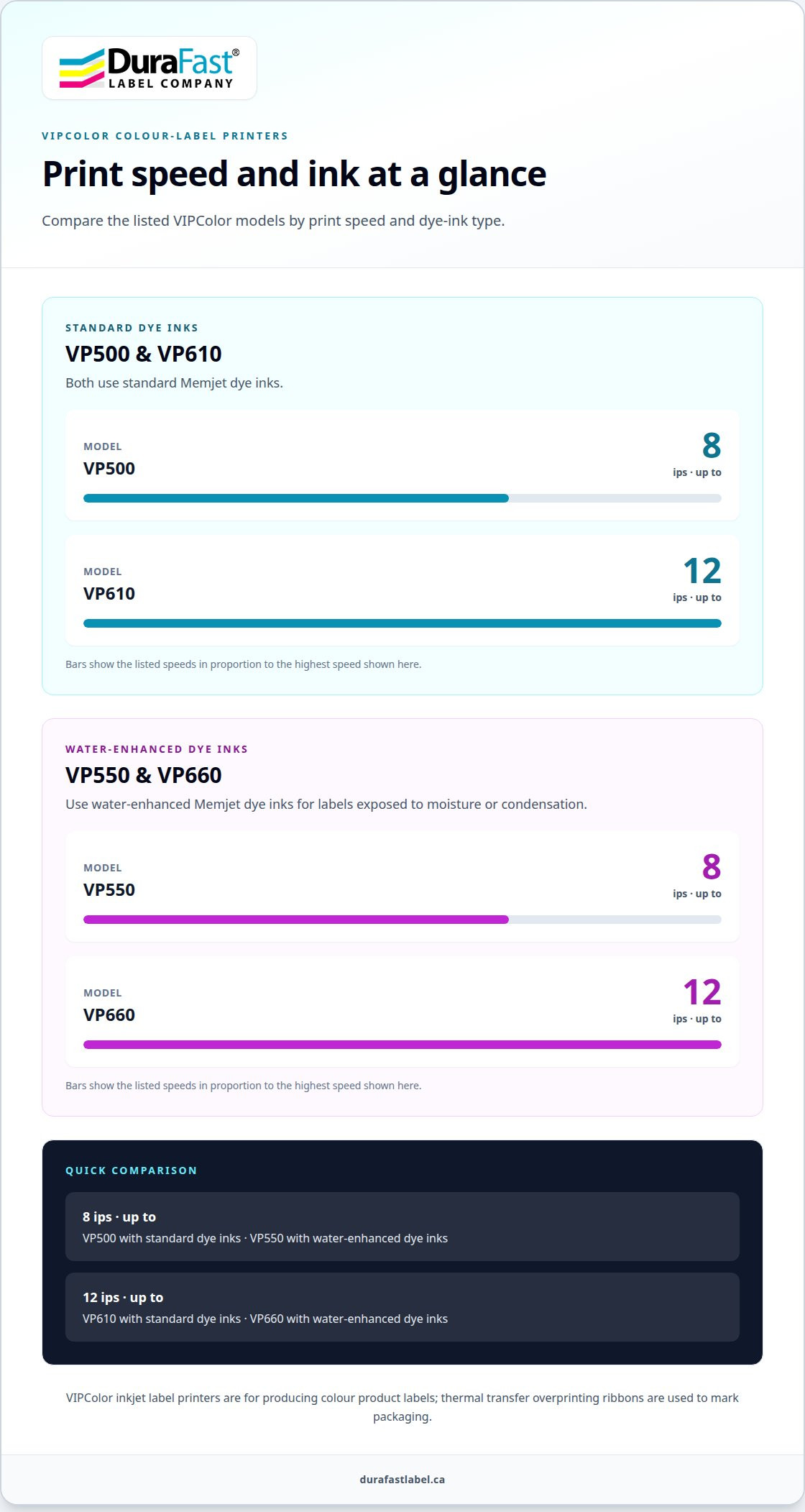
DuraFast Label Company Canada offers VIPColor Label Printers for businesses producing colour product labels rather than applying TTO codes directly to packaging. The VP500 and VP610 use standard Memjet dye inks, while the VP550 and VP660 use water-enhanced dye inks for labels exposed to moisture or condensation. For production speed, the VP500 and VP550 print at up to 8 ips; the VP610 and VP660 print at up to 12 ips.
Inkjet label printers serve a different purpose from Markem-Imaje-compatible thermal ribbons. For package coding, focus on ribbon fit and performance on your packaging. For colour product labels, DuraFast Label offers VIPColor, Afinia, Toshiba and Honeywell label printers to consider.
Contact DuraFast Label Company Canada to discuss which label-printing option fits your application.
Make your next production decision with confidence
Use your next purchasing decision to clarify how package coding and product labelling fit into your workflow. Choosing markem imaje compatible thermal ribbons Canada is one part of that evaluation; producing colour product labels requires a different printing approach. Keeping the jobs distinct helps you focus equipment decisions on the output each production line needs.
DuraFast Label Company Canada offers VIPColor and Afinia label printers for colour-label production. These options can support a separate assessment if your operation is planning product labels alongside package coding. Consider the label’s purpose, the materials used and the demands of your production process as you decide what to evaluate next.
Bring your application details and equipment priorities into the conversation to make the next step more focused. Contact DuraFast Label Company Canada to discuss your requirements and explore a suitable direction for your labelling needs. A clear understanding of the task is a practical starting point for building a dependable production workflow.