Industrial Identification: Durable Kroll Labels and Solutions
20th Oct 2026
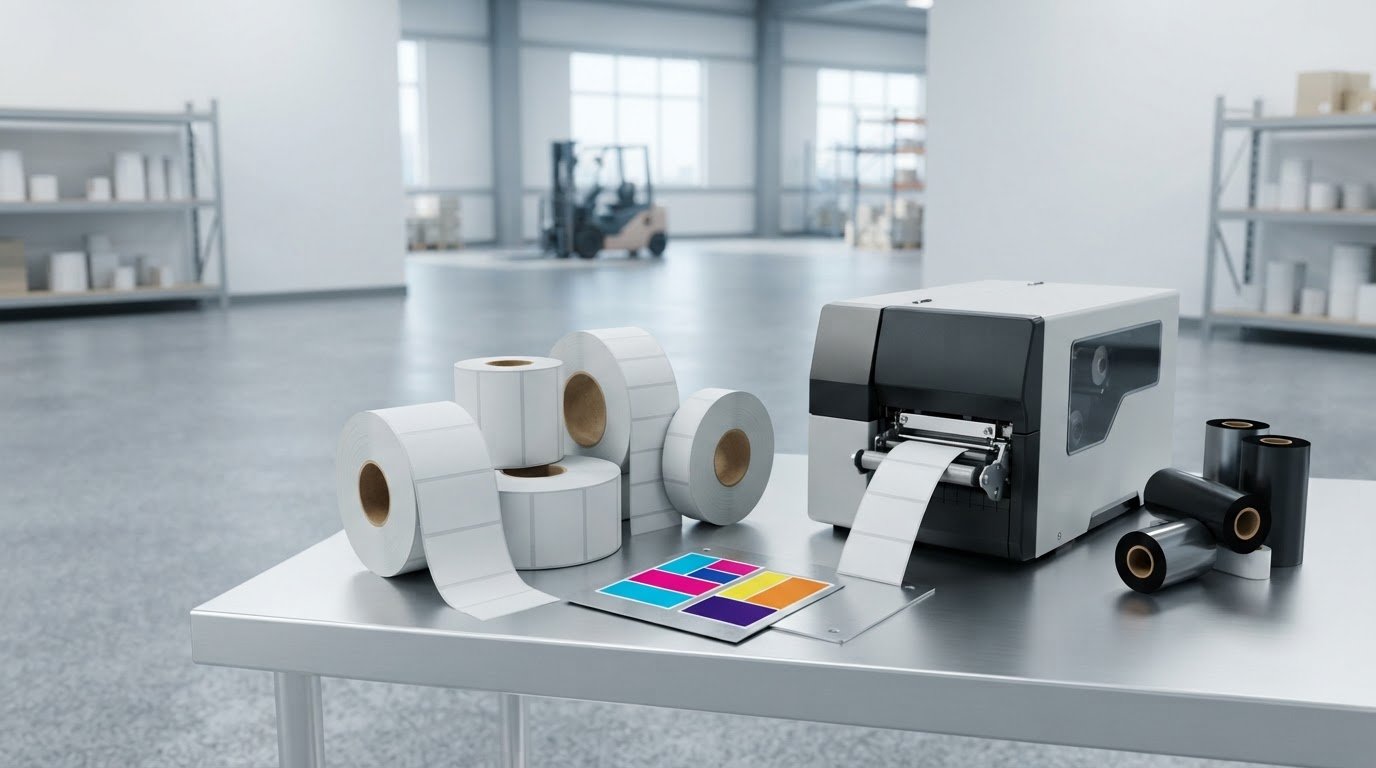
The right label roll fits your printer and feeds in the correct direction. Kroll labels need a compatible core size and wind direction to run smoothly through your equipment. Match both to the printer’s requirements and how the labels feed onto your product or packaging.
It’s easy to focus on label material and durability, but roll details matter too. A mismatch can disrupt printing or application and add avoidable work. For Canadian buyers, understanding how production and shipping fit into an order can also make planning easier.
This guide covers practical details to consider when choosing Kroll labels, including core sizes, wind direction, and Canadian production and shipping. You’ll be better equipped to specify rolls that suit your equipment and keep label handling straightforward.
Key Takeaways
- Label pricing depends on order details such as material, size, quantity, and roll configuration, so define your production needs before comparing options.
- Match the label roll’s core size and wind direction to your printer and application process to support reliable feeding and handling.
- Consider how labels will be used, including exposure to moisture or condensation, when selecting a printing setup.
- Compare VIPColor printer models by print speed, ink type, cartridge size, and whether the unwinder is internal or external.
- Understand how Canadian production and shipping fit into your order planning before setting expectations for incoming label stock.
How much do Kroll labels cost, and what affects pricing?
The price depends on the label specification and order configuration. A product label for a dry carton differs from one exposed to moisture. Material, dimensions, adhesive, printing, quantity, and roll format all shape the final quote. Compare the complete specifications, not just the per-roll figure, to understand what drives cost and where adjustments may help.
Start with the label’s job. Identify the surface, environment, and expected handling. A label for smooth packaging may need different material and adhesive from one for a textured container. For chilled products, consider condensation. For industrial identification, consider contact with oils, abrasion, or frequent handling. The application determines which material properties matter, not just the label category. These details help define a suitable Kroll labels specification.
Next, define the label size and design. A larger label uses more face material, while unusual dimensions can affect production setup. The printed area matters too: a simple black barcode differs from a full-colour design with dense graphics. Include the artwork dimensions, colours, and variable information, such as batch codes. Clear specifications make quotes easier to compare.
Order quantity affects how production costs are distributed. A setup step may apply to both small and large orders, while material use increases with the number of labels. Request pricing for a quantity you can realistically use and store. If demand is uncertain, weigh order options against inventory needs. A low unit price may not help if excess rolls become obsolete.
Roll details are part of the specification, not minor finishing choices. Core size, outside roll diameter, label gap, and wind direction can affect printer fit and application. Provide these details along with the printer model and dispensing method. A roll designed for a particular feed path, for example, may need a different wind direction from one applied by hand. Matching the format helps prevent rework.
To make quotes comparable, send each supplier the same information:
- Label width, height, shape, and corner style.
- Face material, adhesive needs, and exposure conditions.
- Artwork, colour requirements, and variable print details.
- Core size, roll diameter, quantity, and wind direction.
- Delivery destination and any packaging or handling needs.
Shipping affects the delivered order cost, even when label specifications match. Destination, shipment size, packaging, and delivery arrangements can change the total. For Canadian orders, include the delivery location when requesting a quote, and ask for product and shipping charges to be shown separately. This makes it easier to compare label costs with the full delivered expense.
Review the specification before approving production. Confirm the label’s use and exposure, then check dimensions, material, adhesive, artwork, and roll format against your equipment. Finally, compare the quantity and delivery details. If a quote uses different material or a different roll setup, it is not an equal comparison. A complete specification gives you a clearer basis for assessing Kroll labels and choosing a suitable configuration for your operation.
Labels compatible
Compatibility starts with the printer, not the label name. Kroll labels need a construction that suits the printing method and roll path. Direct thermal printers use heat-sensitive stock; thermal transfer printers apply ink from a ribbon; inkjet printers require a printable surface suited to their ink. The wrong construction can result in faint images, smudging, or feeding problems. Identify your printer’s technology before selecting label stock.
Then check the printer’s media specifications. The label width must fit its print path, and the roll’s outside diameter must suit its holder or unwinder. The core must fit the roll support. A roll that is too wide, too large, or poorly supported can feed unevenly. Note the printer make and model, then compare them with the roll’s physical dimensions.
Label shape and spacing affect sensing too. Die-cut labels may have gaps between them, while continuous stock has no preset gaps. Some equipment senses a gap; other equipment may rely on a mark or another method. The sensor must detect the format being loaded. For example, a printer configured for gaps may stop or advance incorrectly with continuous stock.
Wind direction determines how labels unwind and the orientation presented to the printhead or applicator. A roll may fit the machine but feed with the wrong face or edge leading. Compare the desired output orientation with the printer diagram and application process. For hand application, check how the printed label emerges. For automated application, match the applicator’s required unwind direction.
Adhesive and face material must suit the surface and operating conditions. A label for a clean, smooth carton has different requirements from one for a curved container. Consider whether the surface is textured, cold, damp, or subject to frequent handling. For frozen products, condensation can affect label performance. Match the label construction to the actual surface and environment, not appearance alone.
Use this sequence to check a roll before ordering:
- Write down the printer make, model, and print technology.
- Measure label width, height, gap, core, and roll diameter.
- Confirm the sensing method and wind direction the machine needs.
- Match the face material and adhesive to the labelled surface.
- Run a sample roll and inspect feed, print, and application.
A sample run can reveal issues a specification sheet may miss. Load a short roll, print a representative design, and watch each label advance. Check alignment, barcode clarity, and whether the stock releases cleanly from its liner. If you use an applicator, test the actual placement angle and speed. Record the successful settings so you can repeat them on later orders.
Keep a compatibility record for each production line. Include the printer model, roll dimensions, material, adhesive, and wind direction. Add a photo of the roll orientation or a machine diagram. This gives purchasing and production teams a shared reference, especially when labels are used for several products. If a new package changes the surface or shape, review the specification before reordering.
For help aligning label requirements with printer and application details, share your label compatibility requirements and production setup.
DuraFast Label Company Canada: VIPColor Label Printers
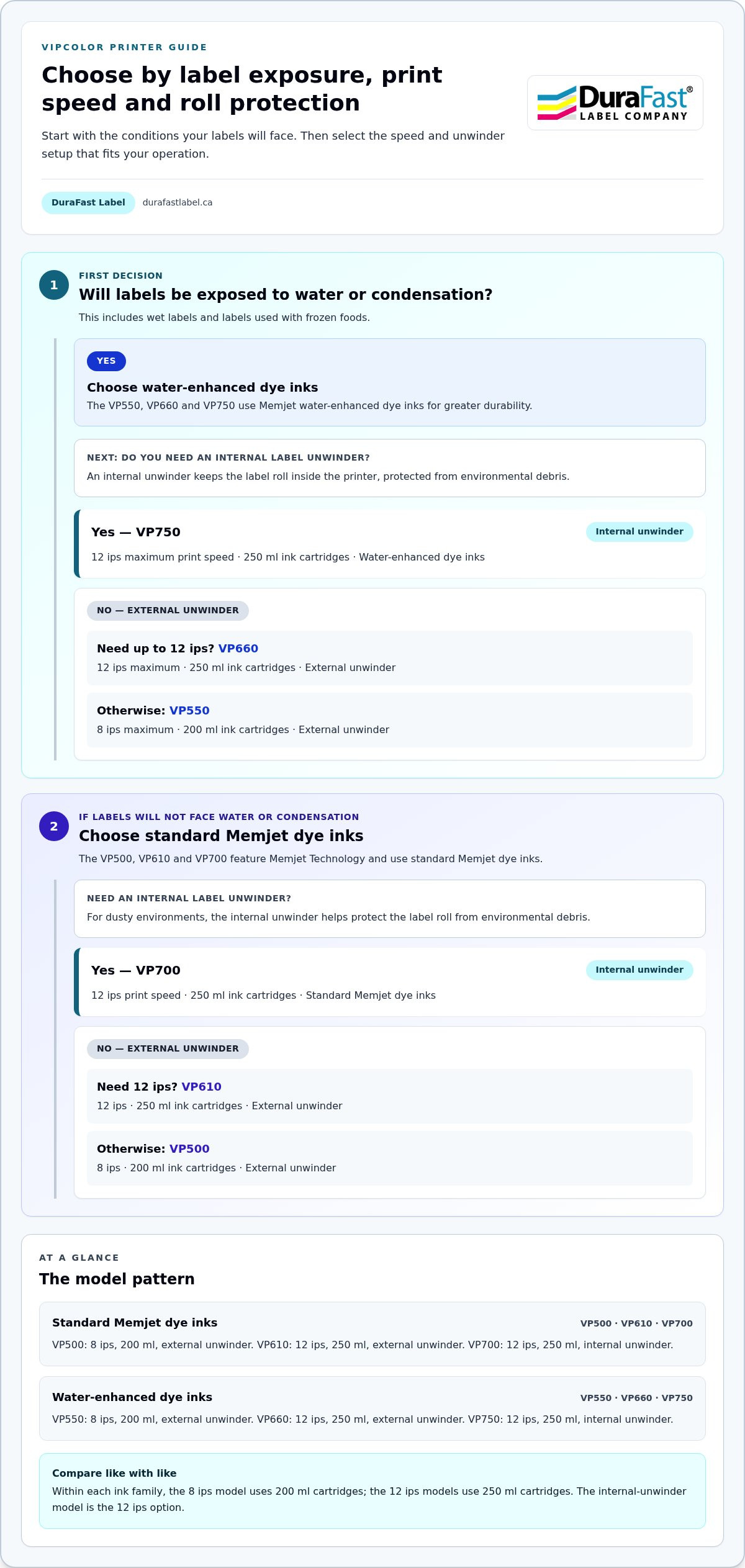
DuraFast Label Company Canada offers VIPColor Label Printers for businesses matching colour label production to their label needs. The VP500 prints at 8 ips with 200ml cartridges; the VP610 prints at 12 ips with 250ml cartridges. Both use standard Memjet dye inks and external unwinders. The VP700 adds an internal unwinder, while otherwise matching the VP610’s print speed, quality, and features.
For labels exposed to water or condensation, the VP550, VP660, and VP750 use Memjet water-enhanced dye inks. The VP550 prints at 8 ips with 200ml cartridges, while the VP660 prints at 12 ips with 250ml cartridges. Both have external unwinders. The VP750 adds an internal unwinder to the VP660’s features. DuraFast also offers Afinia, Toshiba, and Honeywell Label Printers. Contact DuraFast Label Company Canada to discuss which printer setup suits your production needs.
Make your next label order easier to repeat
Turn your label decisions into a production reference your team can reuse. Keep the approved specifications, printer setup, roll orientation, and application notes together. When packaging or processes change, review the record before placing another order. This gives purchasing and production teams a shared starting point and helps keep future decisions aligned with the actual workflow.
If you’re planning a change to your label process, outline the application and production requirements before choosing the next step. A clear brief makes it easier to discuss what your operation needs. Contact DuraFast Label Company Canada to talk through your requirements and move forward with a practical plan.