Afinia L502 Pigment Ink Printer for GHS Chemical Labels
21st Nov 2026
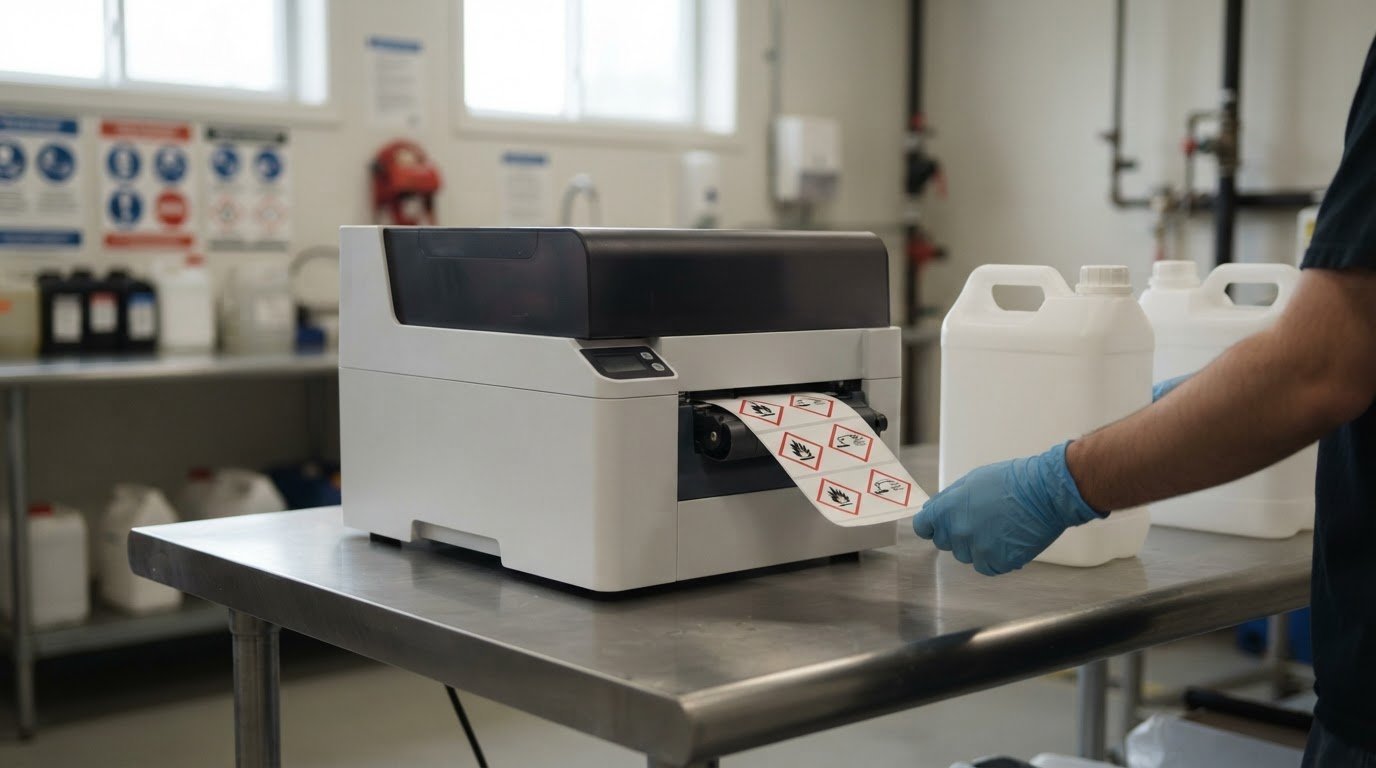
For chemical labels, durability matters as much as clear, legible printing. The Afinia L502 printer with pigment inks for GHS BS5609 chemical labels has been tested and certified to produce BS 5609-compliant and GHS labels. BS 5609 testing evaluates print permanence through abrasion and salt-water submersion for 90 days.
Choosing a printer for this work involves more than selecting pigment ink. Label stock, print setup, connectivity and media handling all affect how the system fits into your production process. It’s reasonable to want a clear picture of those practical details before making a decision.
This article explains how the Afinia L502’s pigment inks and compatible label materials relate to chemical-label applications, then covers its connectivity and media handling. You’ll also learn what BS 5609 testing assesses, so you can understand the distinction between a printer’s capabilities and the performance of the finished label in its intended use.
Key Takeaways
- BS 5609 testing assesses print permanence through abrasion and salt-water submersion for 90 days, so consider the finished label system, not ink alone.
- Match blank label material to the application and confirm its compatibility with pigment ink before setting up production.
- Plan printer integration around its USB 2.0 or 10/100 Base-Tx Ethernet connections and supported Windows operating system.
- Check roll dimensions and label size against the L502’s media-handling limits to help avoid workflow mismatches.
- Separate printer capabilities from the performance of the finished label when evaluating chemical-label requirements.
BS5609 durability requirements
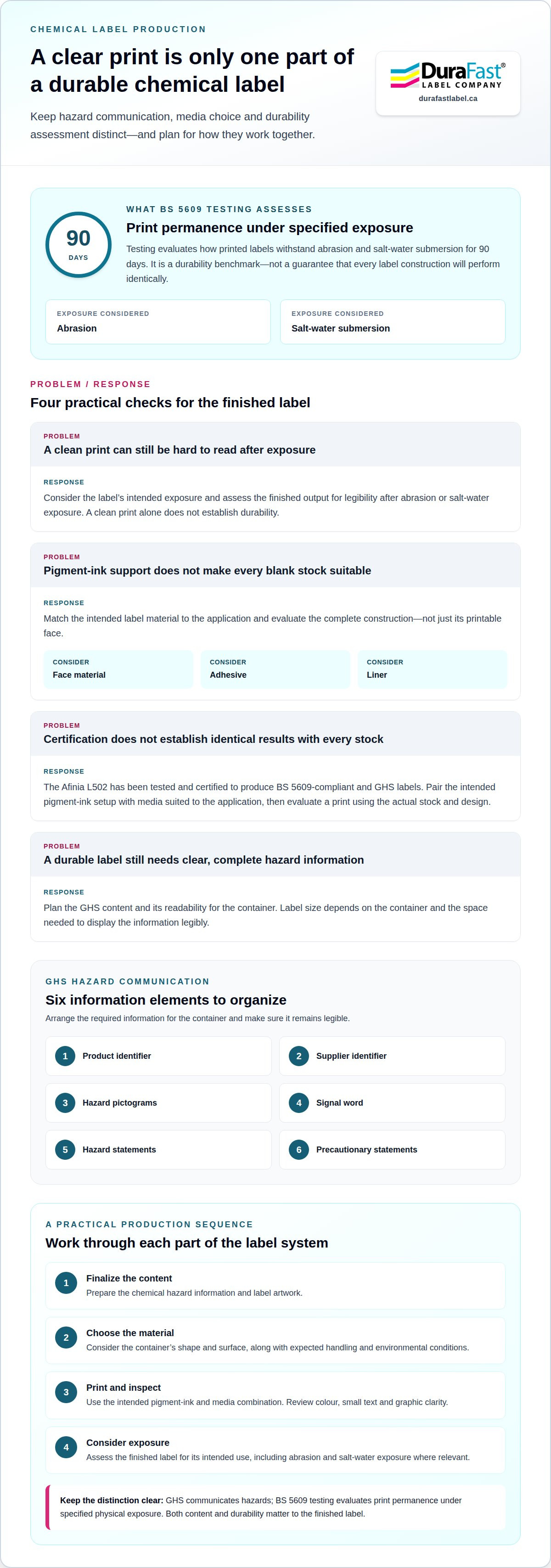
BS 5609 addresses label durability in demanding marine conditions. Its testing evaluates print permanence through abrasion and salt-water submersion for 90 days. That period gives chemical-label buyers a defined test condition to consider. It does not mean every printed label will perform identically. The label material, ink, and finished construction matter together. A printer’s capability is one part of the assessment, not the entire label system.
The Afinia L502 has been tested and certified to produce BS 5609-compliant and GHS labels. That makes it relevant to operations producing chemical labels in-house. Certification should still be understood in context: print results depend on the media and ink combination used. A successful result with one construction does not automatically establish the performance of every blank label stock. For production planning, match the intended label material and pigment ink to the required application. Then assess the finished output against the durability needs of its destination.
For chemical containers in Canada, GHS label information includes a product identifier, supplier identifier, hazard pictograms, a signal word, hazard statements, and precautionary statements. There is no single label size for every container. The dimensions depend on the container and the space needed to display the required information legibly.
Those communication elements serve a different purpose from BS 5609 durability testing. GHS content communicates hazards; BS 5609 testing evaluates how printed labels withstand specified physical exposure. A label can be clear when first applied yet become difficult to read after abrasion or immersion. For example, a container handled repeatedly needs legible hazard information after handling, not only at the printing station. This is why content layout and resistance to exposure should be considered together.
Use a clear production sequence. First, finalize the chemical hazard information and label artwork. Next, choose the intended blank material and print using the specified pigment-ink setup. Inspect the output for legibility, including small text and pictograms. Then consider expected exposure, such as abrasion or salt water. Each step affects a different part of the result: a clean print alone does not establish durability, and durable material cannot correct incomplete or unreadable content.
- Content: Organize the required hazard information for the container.
- Material: Match the blank label construction to the application.
- Print: Use the intended pigment-ink and media combination.
- Assessment: Consider abrasion and salt-water exposure over 90 days.
When reviewing blank label materials, compare the stock with the conditions the container will encounter. A useful decision starts with where the container travels, how it is handled, and what exposure the label may face. BS 5609 provides a durability benchmark; GHS supplies the hazard communication framework. Treating them as complementary requirements helps teams plan labels that remain informative through their intended use.
Compatible blank label materials
Blank label stock affects ink appearance, adhesion, and finished-label durability. The Afinia L502 supports pigment inks, but that alone doesn’t establish compatibility with every material. Match the stock to the intended container and exposure. For example, a label applied to a curved container may need different adhesive behaviour than one applied to a flat surface. The face material, adhesive, and liner each contribute to handling and application. Evaluate the complete label construction, not just its printable surface.
Is the Afinia L502 compatible with pigment inks for chemical labels? Yes. The printer supports pigment inks, and it has been tested and certified to produce BS 5609-compliant and GHS labels. That does not mean every blank stock produces the same result. A pigment-ink setup must be paired with media suited to the intended label application.
How does the Afinia L502 compare with other BS 5609-certified colour label printers? Its relevant attributes include pigment-ink support and testing and certification for BS 5609-compliant and GHS labels. A useful comparison considers the printer, ink, and label material together, rather than assuming certification alone establishes identical performance.
Choose media based on the container and its use. A small print area can limit the space available for text and hazard graphics, while a curved container can affect label placement. Handling and moisture exposure can also influence material choice. These are practical selection factors, not a guarantee that one stock suits every chemical label. The printer’s certified capability does not replace selecting media for the application.
- Identify the application: Note the container shape and surface.
- Consider exposure: Include handling and environmental conditions.
- Assess the construction: Consider face material, adhesive, and liner.
- Evaluate a print: Review colour, small text, and graphic clarity.
What are the limitations and risks of using the Afinia L502 for Canadian WHMIS labels? The printer produces the printed label; it doesn’t determine chemical classification or create accurate hazard information. Its BS 5609 and GHS certification also doesn’t establish that every label stock will suit every use. Treat content accuracy, print readability, and material selection as separate parts of the production process.
Evaluate the intended blank stock with the actual label design. Print a sample and check that the text and graphics remain clear at their planned size. Consider how the label will be applied and handled. This process can reveal cramped content or poor material fit before a production run, while keeping the printer’s capabilities distinct from the finished label’s application requirements.
For help aligning media choices with a pigment-ink label setup, discuss your label application.
Connectivity and operating system requirements
The Afinia L502 connects through USB 2.0 or 10/100 Base-Tx Ethernet. These options suit different production layouts. USB 2.0 connects the printer directly to a computer. Ethernet connects it to a wired network. Choose based on where the print station sits and how staff access label jobs. A computer beside the printer may favour USB. A networked production area may fit Ethernet more naturally.
Your connection choice affects setup and daily workflow. With USB, position the computer and printer close enough for a suitable cable connection. Ethernet connects the printer to the local network, enabling a network-based workflow rather than a direct computer connection. Plan the connection before installation, taking into account the host computer’s location, network layout, and how label files will reach the print station.
Operating system support is a key compatibility checkpoint. The L502 supports Windows 10 and Windows 11, 64-bit, on Intel or AMD x86/x64 systems. It is Windows-only and does not support ARM or Snapdragon systems. That distinction matters if your workplace uses a mix of computers. A Windows laptop with an Intel or AMD processor fits the stated platform; an ARM-based device does not.
- USB 2.0: Use for a direct connection to a nearby computer.
- 10/100 Base-Tx Ethernet: Use when the printer needs a wired network connection.
- Windows 10 or Windows 11: Use a supported 64-bit Intel or AMD x86/x64 computer.
- ARM or Snapdragon: These systems are not supported.
Before choosing a connection, map the print workflow. Identify which computer will send jobs, where the printer will sit, and whether network access is part of the setup. Then match the computer’s operating system and processor architecture to the supported Windows platform. This avoids planning around a device that cannot run the printer’s supported environment. For example, a Windows 11 workstation with an AMD processor meets the listed platform requirements; a Snapdragon system does not.
Network and USB connections solve different placement needs, but neither changes the label artwork or media requirements. They determine how print jobs reach the L502. For a chemical-label station, predictable job delivery can help staff print the correct approved file at the intended workstation. Keep the file source and printer connection clear, especially when multiple computers are used. Ethernet supports network connectivity, while USB provides a direct computer-to-printer path.
Confirm the computer platform first, then select USB 2.0 or 10/100 Base-Tx Ethernet to match the station. This simple sequence narrows setup decisions without confusing connection type with operating-system compatibility. The L502’s Windows support and connection choices define the practical integration boundaries for a label-printing workflow.
Printer construction and media handling
The Afinia L502 supports label print widths from 1.0 to 8.5 inches. Its maximum print width is 8.5 inches, or 216 mm. That range accommodates different label formats, from narrow identifiers to wider chemical-label layouts. Choose artwork dimensions within the printer’s supported range. Also distinguish print width from media width: the label roll and liner can be wider than the printable area.
How fast does it print, what is its resolution, and what is the cost per label? The L502 reaches approximately 5.2 inches per second when printing a 2.2-inch-wide image in normal mode, with a maximum resolution of 4800 dpi. Per-label cost depends on label dimensions, material, and ink coverage, so the artwork and stock are key cost drivers.
Roll size affects how often production pauses for reloading. The L502 supports a maximum roll diameter of 8 inches, or 203 mm, and media rolls require a 3-inch cardboard core. Its supported media and liner widths are 1.5 to 8.65 inches. Media thickness must fall between 0.004 and 0.01 inches. These limits help define which roll formats fit the printer.
- Print width: 1.0 to 8.5 inches.
- Media and liner width: 1.5 to 8.65 inches.
- Maximum roll diameter: 8 inches, or 203 mm.
- Media thickness: 0.004 to 0.01 inches.
- Roll core: 3-inch cardboard.
Print length also shapes the design. The L502 supports lengths from 0.75 to 48 inches. A short container label and a longer wraparound format therefore call for different layouts, while both must remain within that range. Match the document dimensions to the actual label size before printing. This helps prevent scaled artwork, misplaced content, or wasted media during setup.
How should you configure and maintain the L502 for durable chemical labels? Set the print dimensions to the finished label, load media that meets the printer’s width, thickness, and core requirements, then inspect a sample for alignment and legibility. Keep the selected stock and pigment-ink setup consistent during production, and follow the manufacturer’s maintenance instructions.
Physical placement matters, too. Allow a stable footprint that fits those dimensions and accommodates the label roll. Considering the printer’s size alongside the 8-inch roll capacity helps teams plan a workable production station, rather than discovering space constraints after installation.
The printer’s footprint is 20" (511mm) W x 23.5" (596mm) D x 9.75" (248mm) H, so planning its position around all three dimensions can help avoid a cramped installation. A suitable surface should leave the unit stable and preserve room for the roll and routine handling during label production.
Industrial label printing
Industrial chemical-label printing is a production process, not simply a printer purchase. The Afinia L502 has been tested and certified to produce BS 5609-compliant and GHS labels. Its stated production range is 2,500-20,000+ labels per month. That gives operations a useful volume reference when assessing fit. The right choice still depends on label design, media, and how print jobs enter production.
Begin by identifying the label designs, required information, materials, and expected print quantities. Organize approved artwork so operators can select the right version for each product. For example, keep files separate by chemical product or container size to reduce the risk of selecting an incorrect layout during production. A consistent process helps keep information clear across repeated batches.
Next, assess the production rhythm. A monthly volume within the L502’s stated range can still involve very different workloads. One operation may print frequent small batches, while another may produce longer runs less often. Batch size, label dimensions, artwork coverage, and media loading all influence the workflow. Map those factors before deciding how the printer will fit into daily production.
Certification is an important capability, but it does not replace production controls. Keep the selected label material and pigment-ink configuration consistent, and review a sample for alignment, colour, and legibility before printing a batch. Treat changed artwork as a new production version. These steps support a repeatable process without assuming every stock or design performs identically.
- Define the work: Group jobs by product, label design, and batch.
- Control artwork: Keep approved versions easy to distinguish.
- Standardize media: Use the intended label stock and ink setup.
- Review output: Inspect a sample before continuing the run.
Plan for more than the print station. Chemical labels pass through application, storage, and handling, so consider how printing, application, and label management fit into your production process. Clearly identifying each job, material, and approved artwork helps coordinate these stages. For example, an operator can match a batch sheet with the correct label file before printing.
The L502’s certification and stated monthly production range make it a candidate for industrial label workflows requiring colour output. Its suitability depends on the actual workload and the selected label construction. Aligning the printer, artwork, media, and batch process gives teams a clearer basis for planning. To discuss how an industrial label-printing setup could fit your production needs, talk through your application.
DuraFast Label Company Canada: Afinia L502 Printer with Pigment Inks for GHS BS5609 Chemical Labels
DuraFast Label Company Canada offers the Afinia L502 with pigment inks for GHS and BS 5609 chemical-label printing. It’s a relevant option when you need to produce colour chemical labels in-house and are assessing printer fit, media handling, and workflow requirements. The earlier sections outline key factors, including tested label durability, compatible materials, computer connections, and roll dimensions. Consider these together when deciding whether the L502 suits your production needs.
If your workflow calls for a different printer platform, DuraFast also offers VIPColor, Toshiba, and Honeywell label printers. To discuss your label-printing requirements, contact DuraFast Label Company Canada.
Plan your next production decision
As a next step, define how chemical-label jobs will move from approved content to production. Decide who maintains label files, how changes are communicated, and how each print run is matched to its intended material. A clear process helps you select equipment that fits the way your team works.
If you’re evaluating the Afinia L502 printer with pigment inks for GHS BS5609 chemical labels, DuraFast Label Company Canada can help you explore the printer option alongside its VIPColor Label Printers and Primera Label Printers. The right conversation starts with your label application and workflow, giving you a practical basis for deciding what to consider next.
Contact DuraFast Label Company Canada to discuss your label-printing needs and take the next step with confidence.
Frequently Asked Questions
What are the Afinia L502 printer specifications and features?
The Afinia L502 offers a maximum resolution of 4800 dpi and prints approximately 5.2 inches per second with a 2.2-inch-wide image in normal mode. It supports pigment inks, USB 2.0 and 10/100 Base-Tx Ethernet. For example, a production setup can use Ethernet for network connectivity and select label dimensions within the printer’s supported print-width range. It runs on supported 64-bit Windows systems using Intel or AMD processors.
Is the Afinia L502 certified for BS5609 Sections 2 and 3?
The Afinia L502 has been tested and certified to produce BS 5609-compliant and GHS labels. The available certification statement doesn’t identify Sections 2 and 3 individually, so it shouldn’t be expanded into a section-specific claim. BS 5609 testing evaluates print permanence through abrasion and salt-water submersion for 90 days. For a purchasing decision, distinguish the printer’s stated certification from claims about a particular test section.
Which label materials and adhesives are BS5609-certified for the Afinia L502?
BS 5609 performance should be considered for the finished label construction, not inferred for every material or adhesive used with a printer. The L502 supports pigment inks, but that doesn’t establish that every blank stock is certified for a specific application. For example, changing the face material or adhesive changes the construction being assessed. Match the label stock to its intended use and avoid treating printer certification as blanket approval of all media.